aglasem.com
Schools Admission Mock Test Playground
ClassChoose class
StateSelect state

CBSE Class 10 Syllabus 2022-23 Computer Applications
Get here CBSE Class 10 Syllabus 2022-23 PDF for Computer Applications. This syllabus is combined syllabus for Term 1 and Term 2 examination. More Detail
CBSE Class 10 Syllabus 2022-23 Computer Applications - Page 1 of 2

Finished viewing? Save it for later —

Download CBSE Class 10 Syllabus 2022-23 Computer Applications (PDF · 2 pages)
Downloaded 14 times

About CBSE Class 10 Syllabus 2022-23 Computer Applications

CBSE Class 10 Syllabus 2022-23 Computer Applications is available here for free download. Published by CBSE for Class 10, this syllabus can be viewed online or downloaded as a PDF (2 pages). Candidates preparing for Class 10 can use CBSE Class 10 Syllabus 2022-23 Computer Applications to understand the exam pattern, the type of questions asked, and the overall difficulty level.

Frequently Asked Questions

How can I download CBSE Class 10 Syllabus 2022-23 Computer Applications?

Open this page and click the Download button to save CBSE Class 10 Syllabus 2022-23 Computer Applications as a PDF. It is completely free on AglaSem Docs.

Is CBSE Class 10 Syllabus 2022-23 Computer Applications free to download?

Yes. CBSE Class 10 Syllabus 2022-23 Computer Applications can be viewed online and downloaded as a PDF free of cost on AglaSem Docs.

How many pages does CBSE Class 10 Syllabus 2022-23 Computer Applications have?

CBSE Class 10 Syllabus 2022-23 Computer Applications contains 2 pages, which you can read online or download together as a single PDF.

Where can I find more Class 10 study material?

You can find more Class 10 question papers, sample papers, syllabus, and answer keys on AglaSem Docs.

CBSE Class 10 Syllabus 2022-23 Computer Applications – Text

Read the full text of this syllabus below — useful to quickly search, copy and reference the content online without downloading the PDF.

📄 View text version (2 pages)

Page 1

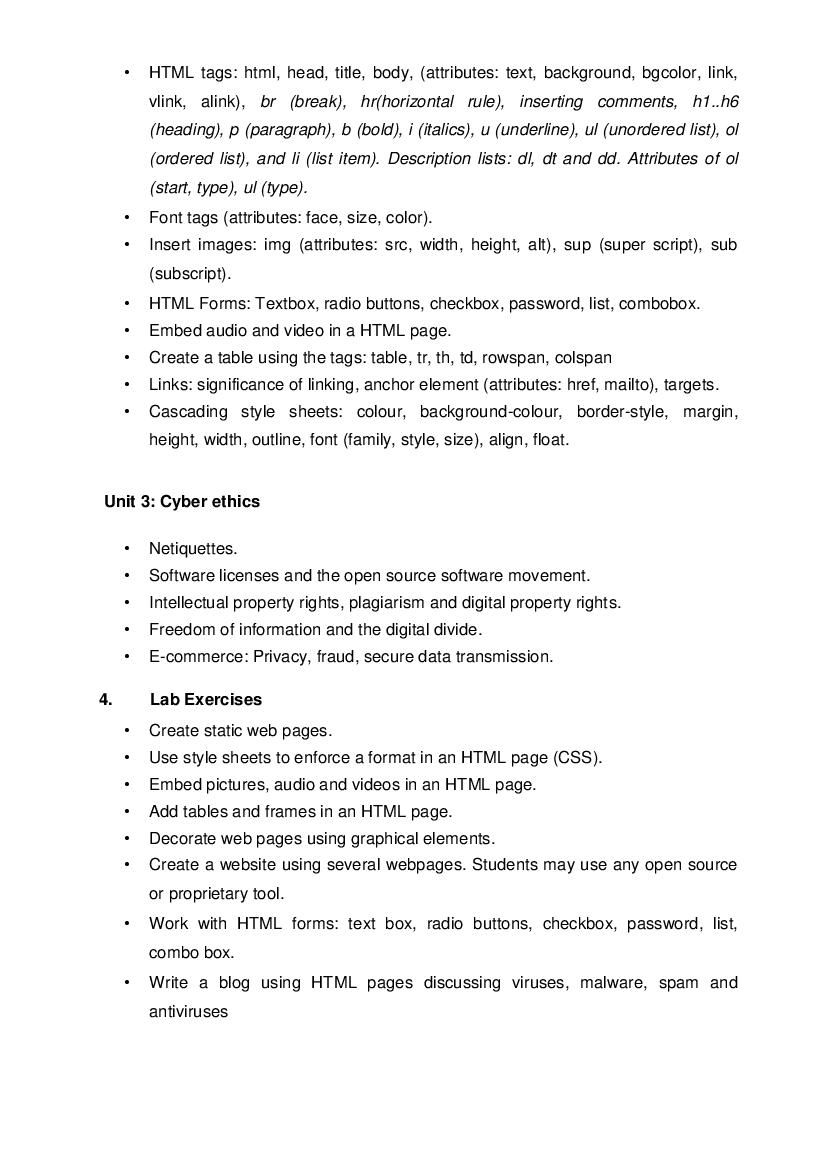
• HTML tags: html, head, title, body, (attributes: text, background, bgcolor, link, vlink, alink), br (break), hr(horizontal rule), inserting comments, h1..h6 (heading), p (paragraph), b (bold), i (italics), u (underline), ul (unordered list), ol (ordered list), and li (list item). Description lists: dl, dt and dd. Attributes of ol (start, type), ul (type). • Font tags (attributes: face, size, color). • Insert images: img (attributes: src, width, height, alt), sup (super script), sub (subscript). • HTML Forms: Textbox, radio buttons, checkbox, password, list, combobox. • Embed audio and video in a HTML page. • Create a table using the tags: table, tr, th, td, rowspan, colspan • Links: significance of linking, anchor element (attributes: href, mailto), targets. • Cascading style sheets: colour, background-colour, border-style, margin, height, width, outline, font (family, style, size), align, float. Unit 3: Cyber ethics • Netiquettes. • Software licenses and the open source software movement. • Intellectual property rights, plagiarism and digital property rights. • Freedom of information and the digital divide. • E-commerce: Privacy, fraud, secure data transmission. 4. Lab Exercises • Create static web pages. • Use style sheets to enforce a format in an HTML page (CSS). • Embed pictures, audio and videos in an HTML page. • Add tables and frames in an HTML page. • Decorate web pages using graphical elements. • Create a website using several webpages. Students may use any open source or proprietary tool. • Work with HTML forms: text box, radio buttons, checkbox, password, list, combo box. • Write a blog using HTML pages discussing viruses, malware, spam and antiviruses

Page 2

• Create a web page discussing plagiarism. List some reported cases of plagiarism and the consequent punishment meted out. Explain the nature of the punishment in different countries as per their IP laws. Breakup of marks for the practicals: S. No. Unit Name Marks 1. Lab Test (20 marks) HTML (design one web page based on a diagram) 20 2. Report File + viva (20 marks) Report file: At least 10 HTML pages, and at least 5 Scratch/Python programs. 15 Viva voce (based on the report file) 5 3. Project (that uses most of the concepts that have been learnt) (10 marks) Total (50 marks)

Document Details

Board / OrgCBSE
ExamClass 10
TypeSyllabus
Pages2
Languageenglish
Updated15 Jul 2026