ICSE Class 10 Sample Paper Basic Data Entry Operator
Finished viewing? Save it for later —
Download ICSE Class 10 Sample Paper Basic Data Entry Operator (PDF · 18 pages)About ICSE Class 10 Sample Paper Basic Data Entry Operator
ICSE Class 10 Sample Paper Basic Data Entry Operator is available here for free download. Published by CISCE for Class 10, this sample paper can be viewed online or downloaded as a PDF (18 pages). Candidates preparing for Class 10 can use ICSE Class 10 Sample Paper Basic Data Entry Operator to understand the exam pattern, the type of questions asked, and the overall difficulty level.
Frequently Asked Questions
How can I download ICSE Class 10 Sample Paper Basic Data Entry Operator?
Open this page and click the Download button to save ICSE Class 10 Sample Paper Basic Data Entry Operator as a PDF. It is completely free on AglaSem Docs.
Is ICSE Class 10 Sample Paper Basic Data Entry Operator free to download?
Yes. ICSE Class 10 Sample Paper Basic Data Entry Operator can be viewed online and downloaded as a PDF free of cost on AglaSem Docs.
How many pages does ICSE Class 10 Sample Paper Basic Data Entry Operator have?
ICSE Class 10 Sample Paper Basic Data Entry Operator contains 18 pages, which you can read online or download together as a single PDF.
Where can I find more Class 10 study material?
You can find more Class 10 question papers, sample papers, syllabus, and answer keys on AglaSem Docs.
ICSE Class 10 Sample Paper Basic Data Entry Operator – Text
Read the full text of this sample paper below — useful to quickly search, copy and reference the content online without downloading the PDF.
📄 View text version (18 pages)
Page 1
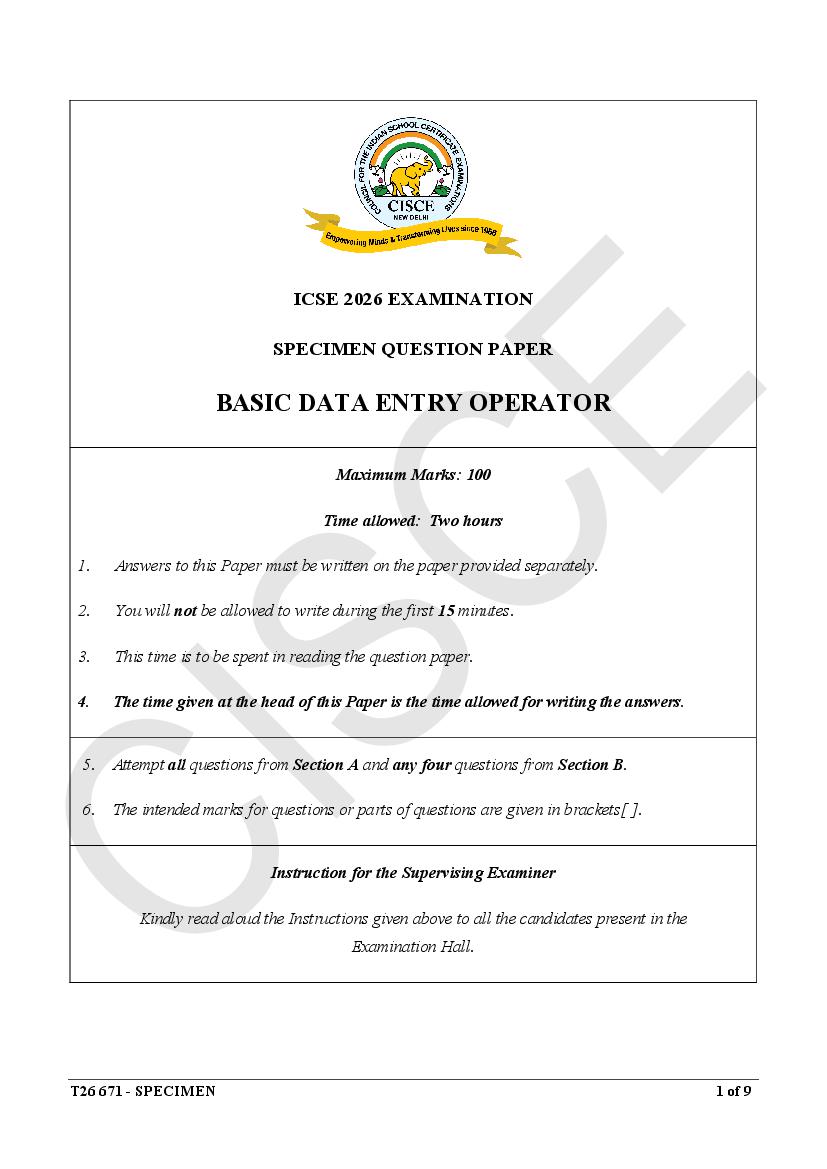
SPECIMEN QUESTION PAPER
BASIC DATA ENTRY OPERATOR
Maximum Marks: 100
Time allowed: Two hours
1. Answers to this Paper must be written on the paper provided separately.
2. You will not be allowed to write during the first 15 minutes.
3. This time is to be spent in reading the question paper.
4. The time given at the head of this Paper is the time allowed for writing the answers.
5. Attempt all questions from Section A and any four questions from Section B.
6. The intended marks for questions or parts of questions are given in brackets[ ].
Instruction for the Supervising Examiner
Kindly read aloud the Instructions given above to all the candidates present in the
Examination Hall.
T26 671 - SPECIMEN 1 of 9
Page 2
The Specimen Question Paper in the subject provides a realistic
format of the Board Examination Question Paper and should be used
as a practice tool. The questions for the Board Examination can be set
from any part of the syllabus. However, the format of the Board
Examination Question Paper will remain the same as that of the
Specimen Question Paper.
Page 3
(Attempt all questions from this Section.)
Question 1 [20]
Choose the correct answers to the questions from the given options.
(Do not copy the question, write the correct answers only.)
(i) A group of words that makes complete sense is called a ___________.
(a) sentence
(b) predicate
(c) phrase
(d) paragraph
(ii) Which of these is not a method of communication?
(a) Verbal
(b) Written
(c) Visual
(d) Non-visual
(iii) The written form of communication is ___________ than oral
communication.
(a) more flexible and less formal
(b) more flexible and more formal
(c) more formal and less flexible
(d) less flexible and less formal
(iv) Perspective is an individual’s ___________.
(a) point of view
(b) activity
(c) future
(d) belonging
T26 671 - SPECIMEN 2 of 9
Page 4
sender through a letter?
(a) Reading
(b) Writing
(c) Listening
(d) Speaking
(vi) ___________ skills is the ability to use your time, energy, and resources
effectively to achieve goals.
(a) Scheduling
(b) Accountability
(c) Time management
(d) Organizational
(vii) What is the full form of ‘WWW’?
(a) World Web Wide
(b) World Wide Web
(c) World Website Wide
(d) World Wide Webinar
(viii) The first Android device was released in the year:
(a) 2008
(b) 2005
(c) 2009
(d) 2010
T26 671 - SPECIMEN 3 of 9
Page 5
(a) Websites
(b) Internet Service Providers
(c) Web Browsers
(d) Search Engines
(x) Email is defined as the transmission of __________ over the internet.
(a) messages
(b) audios
(c) images
(d) videos
(xi) A computer understands instructions in machine code, that is in the form
of:
(a) A to Z
(b) coding language
(c) 0&1
(d) numeric digit
(xii) A person who sells flowers by the side of a road is a ____________.
(a) merchandiser
(b) businessman
(c) freelancer
(d) manufacturer
T26 671 - SPECIMEN 4 of 9
Page 6
(a) Energy
(b) Land
(c) Wildlife
(d) Water
(xiv) Which of the following shows the role of ICT in governance?
(a) Video conferencing
(b) Online classes
(c) Online shopping
(d) Online tax payment
(xv) Assertion (A): Nonverbal communication is related to the expression of
feelings and emotions.
Reason (R): Body language is a kind of verbal communication.
(a) (A) is true and (R) is false.
(b) (A) is false and (R) is true.
(c) Both (A) and (R) are true and (R) is a correct explanation of (A).
(d) Both (A) and (R) are true, but (R) is not a correct explanation of (A).
(xvi) Study the image given below. Why is this technique used?
(a) To improve physical health
(b) To improve mental health
(c) To maintain time management
(d) As a strength workout to build muscle
T26 671 - SPECIMEN 5 of 9
Page 7
(a) True
(b) False
(xviii) RAM is a type of non-volatile memory.
(a) True
(b) False
(xix) Ignoring stress will make it go away on its own.
(a) True
(b) False
(xx) A Printer is also known as an output device.
(a) True
(b) False
Question 2
(i) Fill in the blanks: [5]
(a) ALU stands for ____________.
(Arithmetic Language Unit / Arithmetic Logic Unit)
(b) Google is an example of a ____________.
(Search Engine / Web browser)
(c) The shortcut of Select All option is ____________.
(Ctrl+S / Ctrl+A)
(d) Unix and Windows are examples of ____________.
(Application Software / Operating Systems)
(e) 1024 MB equals to ____________. (1 GB / 1 KB)
T26 671 - SPECIMEN 6 of 9
Page 8
(a) Current file name is shown in status bar.
(b) Interrogative sentences ask a question.
(c) By default, the page size is A4.
(d) A new column is created in table by pressing the tab key.
(e) Lack of awareness and accountability worsens pollution of land, sea
and air.
Question 3
(i) Why are basic writing skills important? [2]
(ii) What are two common techniques for managing stress effectively? [2]
(iii) Write any two advantages of ICT in education. [2]
(iv) How does maintaining a positive mindset help in boosting self- [2]
confidence?
(v) Explain the term ‘WWW’. [2]
SECTION B (60 Marks)
(Answer any four questions from this Section.)
Question 4
(i) How does entreprenuership improve the standard of living? [5]
(ii) Describe how to use the ‘Spell Check’ feature in Word document/ [5]
LibreOffice Writer?
(iii) Explain the importance of using Filters in Calc.(Spreadsheet). [5]
T26 671 - SPECIMEN 7 of 9
Page 9
Answer the following questions with respect to a secure working environment:
(i) What are the key components of maintaining a safe working [5]
environmnet?
(ii) How can regular health check ups contribute to maintaining health at the [5]
workplace?
(iii) Write any five points to reduce the risks of visual problems at the [5]
workplace.
Question 6
(i) Explain any two features of a database. [5]
(ii) Define forms. What is the need of using them? [5]
(iii) What is the importance of a transaction in DBMS? [5]
Question 7
(i) How can formulas enhance the functionality of a Calc. (Spreadsheet)? [5]
Give one example of a formula.
(ii) How can you protect a worksheet or specific cells in a spreadsheet? [5]
(iii) Mr. Sanjay is the class teacher of Class IX A. He wants to create a [5]
marksheet for the half-yearly examination in an Excel sheet. Given
below is the data from the half-yearly examination of the class. Based
on the worksheet provided, answer the questions that follow.
A B C D E F G
1 S.No Name Marks1 Marks2 Marks3 Total Average
2 01 Aarohi 90 90 88
3 02 Fatima 95 85 85
4 03 Tanvi 98 75 80
5 04 Zia 88 80 67
6 Highest
7 Lowest
T26 671 - SPECIMEN 8 of 9
Page 10
(1) To calculate the total marks of Aarohi.
(2) To calculate the average marks of Tanvi.
(3) To calculate the highest marks in each subject (Marks1, Marks2,
Marks3).
(4) To calculate the lowest marks in each subject (Marks1, Marks2,
Marks3).
(5) To calculate the difference between the Marks1 of Fatima and Zia.
Question 8
(i) What do you understand by Frame Style? Why is Frame Style important [5]
in Word document/LibreOffice Writer?
(ii) Explain the concept of image grouping in word processing software. [5]
Why is it useful?
(iii) Describe how to use the ‘Find and Replace’ features in Word [5]
document/LibreOffice Writer.
Question 9
(i) Explain grouping of data in DBMS. List any two ways to group data. [5]
(ii) What is field properties? List any two field propeties used in DBMS. [5]
(iii) Describe any two differences between Rows and Columns in a table with [5]
reference to DBMS.
sw
T26 671 - SPECIMEN 9 of 9
Page 11
DRAFT MARKING SCHEME - BASIC DATA ENTRY OPERATOR
SECTION A
Question 1 [20]
(i) (a) sentence
(ii) (d) Non-visual
(iii) (d) less flexible and less formal
(iv) (a) point of view
(v) (a) Reading
(vi) (a) Time management
(vii) (b) World Wide Web
(viii) (a) 2008
(ix) (c) Web browsers
(x) (c) messages
(xi) (c) 0&1
(xii) (b) businessman
(xiii) (c) Wildlife
(xiv) (d) Online tax payment
(xv) (a) (A) is true and (R) is false.
(xvi) (b) To improve mental health
(xvii) (a) True
(xviii) (b) False
(xix) (b) False
(xx) (a) True
T26 671 - SPECIMEN 1 of 8
Page 12
(i) a) Arithmetic & Logic Unit [5]
b) Search Engine
c) Ctrl+A
d) Operating Systems
e) 1 GB
(ii) a) False [5]
b) True
c) True
d) False
e) True
Question 3
(i) Writing helps you express your thoughts and ideas clearly. Good writing makes it [2]
easier for others to understand you. Writing is not just for school – it’s a life skill
that helps you succeed and express yourself.
(ii) Here are stress management techniques in a concise form: [2]
1. Exercise: Releases endorphins, improves mood, and promotes relaxation.
2. Mindfulness/Meditation: Calms the mind, reduces anxiety, and enhances
focus.
3. Deep Breathing: Activates relaxation, lowers stress, and promotes
calmness.
4. Time Management: Organizes tasks, reduces overwhelm, and increases
productivity.
5. Social Support: Provides emotional support and perspective.
6. Adequate Sleep: Restores the body and mind, improving stress resilience.
7. Healthy Diet: Supports physical health and helps manage stress.
8. Hobbies: Engages in enjoyable activities to relax and reduce stress.
(Any two points)
(iii) 1. Complex topics can be easily explained to the students. [2]
2. Images and videos are used for teaching improvements.
3. Presentations can make the lesson interesting.
4. Practical demonstration can be given to the students.
5. An e-learning program allows students to learn at their own pace, at any
convenient time.
(Any two points)
T26 671 - SPECIMEN 2 of 8
Page 13
1. Enhancing Motivation: A positive mindset encourages a can-do attitude,
making it easier to stay focused and motivated to achieve goals.
2. Reducing Negative Self-Talk: Positive thinking helps overcome self-doubt,
enabling individuals to push through challenges and stay disciplined.
3. Building Resilience: A positive mindset fosters resilience, allowing
individuals to bounce back from setbacks and maintain consistent effort.
4. Promoting Goal Clarity: Positive thinking helps clarify goals and
priorities, making it easier to stay committed and organized.
5. Encouraging Consistency: A positive outlook reinforces the belief that
small, consistent actions lead to long-term success, strengthening self-
discipline over time.
(Any two points)
(v) The WWW (World Wide Web) is a means of accessing the information on the [2]
internet. It contains millions of documents or stacks of pages called web pages.
SECTION B
Question 4
(i) Entrepreneurship can improve the standard of living in several important ways: [5]
1. Job Creation: When entrepreneurs start new businesses, they create jobs for
people. More jobs mean more income for families, which helps them live
better lives.
2. Economic Growth: New businesses contribute to the economy by
producing goods and services. This growth can lead to more money
circulating in the community, benefiting everyone.
3. Innovation: Entrepreneurs often come up with new ideas and products that
can make life easier or better. This innovation can improve the quality of life
by providing better solutions to everyday problems.
4. Increased Choices: With more businesses, consumers have more options
for products and services. This competition can lead to better quality and
lower prices.
5. Community Development: Entrepreneurs often invest in their local
communities, supporting schools, parks, and other public services. This can
lead to a better environment for everyone.
6. Inspiration and Motivation: Successful entrepreneurs can inspire others to
pursue their own ideas and dreams, leading to a culture of creativity and
ambition in society.
(Any five points)
T26 671 - SPECIMEN 3 of 8
Page 14
1. Open your document.
2. Click on the “review” tab.
3. Select Spelling Grammar.
4. Word will scan the document for errors, offering suggestions for corrections,
which you can accept or ignore as needed.
(iii) Using filters in Excel is very important because they help you manage and analyse [5]
your data more easily. Filters allow users to display only the data that meets
specific criteria, making it easier to analyse large datasets by focusing on relevant
information without altering the original data.
Question 5
(i) A safe working environment involves ensuring proper ventilation, good lighting, [5]
ergonomic workspaces, and regular safety checks. It also includes the use of safety
equipment, training workers in safety protocols, and promoting awareness of
potential hazards. Follow all safety rules and guidelines set by your workplace.
(ii) Regular health checkups help detect early illness, reduce the risk of chronic [5]
conditions, and ensure that employees are physically fit for their roles. This helps
maintain a healthy workspace, reducing absenteeism and improving productivity.
Regular health checkups help catch problems early, keep employees healthy and
productive, promote mental health, and encourage good habits.
(iii) To reduce the risks of visual problems: [5]
1. Adjust the brightness of the computer screen to save your eyes from strain.
2. Reposition the screen to avoid glare from lights or windows.
3. Keep a proper vision distance from computer screen and blink your eyes in
an interval.
4. Wear anti – glare glasses while working in computer.
5. Keep the screen clean and use a desk lamp to make it easier to see.
6. Look away from the screen into the distance for a few moments to relax.
7. Ensure the screen colors are easy to look at, and that the characters are sharp
& legible.
(Any five points)
Question 6
(i) 1. Data Storage: A database is like a digital filing cabinet where you can store [5]
lots of information in an organized way. This makes it easy to find and
manage data.
T26 671 - SPECIMEN 4 of 8
Page 15
from the database. It’s like using a search function to find a specific file in
your computer.
3. Data Manipulation: You can add, update, or delete information in the
database. This means you can change or remove data as needed, just like
editing a document.
4. Data Integrity: A database helps ensure that the information is accurate and
reliable. It has rules to prevent mistakes, so you don’t end up with wrong or
duplicate data.
5. Data Security: Databases have security features to protect sensitive
information. This means only authorized users can access or change the data,
keeping it safe from unauthorized access.
6. Multi-user Access: Many people can use the database at the same time
without causing problems. This is like a group project where everyone can
work together on the same document.
(Any two points)
(ii) In the context of a Database Management System (DBMS), forms are user- [5]
friendly interfaces that allow users to enter, modify, and view data stored in a
database.
Forms are essential for several reasons:
1. User-Friendly Interface: Forms provide a simple and organized way for
users to input data. Instead of typing commands, users can fill out fields like
they would on a paper form.
2. Data Validation: Forms can include rules that check whether the data
entered is correct before it's saved in the database. This helps prevent errors.
3. Improved Data Entry Speed: Using forms speeds up the process of data
entry because users can quickly navigate through fields and submit
information without needing technical knowledge.
4. Better Organization: Forms can be designed to display information in a
clear and structured way, making it easier for users to understand what
information is needed.
5. Accessibility: Forms can be made accessible on different devices, such as
computers or tablets, allowing users to enter data from various locations.
(Any three points)
(iii) Here’s why transactions are important: [5]
1. Completeness: A transaction ensures that all parts of a task are completed
successfully. For example, if you’re buying something online, the
transaction includes checking your credit card, updating the stock, and
sending you a confirmation. If one part fails (like the payment), the whole
transaction should fail to keep everything correct.
2. Consistency: Transactions help keep the database consistent. This means
that the data remains accurate and reliable. For instance, if you transfer
T26 671 - SPECIMEN 5 of 8
Page 16
accounts should still be the same after the transaction.
3. Isolation: Each transaction is separate from others. This means that if two
people are trying to update the same data at the same time, their changes
won’t interfere with each other. It keeps everything organized and prevents
mistakes.
4. Durability: Once a transaction is completed, its results are saved
permanently in the database, even if there’s a power failure or crash. This
ensures that your actions are not lost.
5. Error Handling: If something goes wrong during a transaction, it can be
rolled back or undone. This means that if an error occurs, the database can
return to its previous state without any damage.
(Any two points)
Question 7
(i) How Formulas Enhance Functionality: [5]
1. Automatic Calculations: Instead of adding numbers one by one, you can
use a formula to add them all at once. This saves time and reduces mistakes.
2. Dynamic Updates: If you change any number in your spreadsheet, formulas
will automatically update the results. This means you don’t have to redo
calculations every time you change data.
3. Data Analysis: Formulas can help you analyse information quickly. For
example, you can find averages, totals, or even the highest and lowest values
in a set of numbers.
4. Complex Calculations: You can create complex calculations that involve
multiple steps and different types of math, all in one formula.
(Any two points)
Example:
=AVERAGE (A1:A5) or
=(A1+A2+A3+A4) (Any example)
(ii) To protect a worksheet: [5]
Go to the Review tab.
Select Protect sheet.
You can set a password and choose which actions users can perform, ensuring
data integrity.
To protect any specific cell – first unlock all cells, then lock only the cells you
want to protect and then protect the sheet.
(iii) 1) = SUM ( C2:E2) OR =(C2+D2+E2) [5]
2) = AVERAGE (C4:E4) OR =(C4+D4+E4)/3
T26 671 - SPECIMEN 6 of 8
Page 17
4) =MIN (C2:C5) & drag it to right to get lowest marks in each subject
5) = (c2 – c5)
Question 8
(i) Frame style in word processing software refers to a way of organizing and [5]
displaying text and images within a specific area or "frame" on a page. Think of
it like a picture frame that holds a photo; it helps to keep things neat and organized.
Importance of Frame Style:
1. Organization: Frames help to separate different pieces of content. For
example, you can have a frame for an image and another for text, making it
clear where each part belongs.
2. Design: Using frames allows you to create a more visually appealing
document. You can arrange text and images in interesting ways, making your
work look professional.
3. Control: Frames give you more control over how things are placed on the
page. You can move them around without affecting other parts of the
document.
4. Focus: By using frames, you can draw attention to specific information or
images. This helps readers focus on what’s important.
(Any three points)
(ii) Image grouping in word processing software is a feature that allows you to [5]
combine multiple images into one single unit. This makes it easier to move, resize,
or apply effects to all the images at once instead of handling each one separately.
It is useful because:
1. Easier Movement: When you group images together, you can move them
around your document as one piece. This saves time and helps keep your
layout organized.
2. Uniform Resizing: If you want to make all the images bigger or smaller,
you can resize the group instead of resizing each image individually.
3. Consistent Formatting: Grouping allows you to apply the same style or
effects (like borders or shadows) to all the images at once, making your
document look more polished.
4. Better Organization: It helps keep your document tidy, especially if you
have many images. Instead of having them scattered all over, you can group
related images together.
(Any three points)
T26 671 - SPECIMEN 7 of 8
Page 18
1. Press “Ctrl+H” or go to the “Home tab”
2. Click on “Replace”
3. Enter the word or phrase you want to find and what you want to replace it
with. This tool helps quickly edit large documents.
Question 9
(i) Grouping of data in a Database Management System (DBMS) is a way to organize [5]
and categorize data so that it's easier to understand and analyse. Grouping of data
means putting similar pieces of information together. For example, if you have a
list of students with their scores, you can group them by their scores or by their
classes. It allows us to see patterns and make informed decisions based on the data
we have.
There are two ways to grouping of data
1. Group by command
2. Counting & summing up
(ii) In a Database Management System (DBMS), field properties (also known as column [5]
properties or attribute properties) define the characteristics and constraints of the data that
can be stored in a specific field (or column) of a database table.
Here are some common field properties:
1. Data type
2. Field size
3. Default value
4. Nullability
5. Uniqueness
6. Primary key
7. Foreign key
(Any two points)
(iii) The difference between rows and columns in a table in DBMS are: [5]
1. In a table, Rows are also called “Records” and Columns are termed a
“Fields”.
2. A row stores complete information of a record whereas column stores only
similar data values for all records.
T26 671 - SPECIMEN 8 of 8
Document Details
| Board / Org | CISCE |
| Exam | Class 10 |
| Type | Sample Paper |
| Pages | 18 |
| Updated | 24 Sep 2026 |