Unicus Cyber Olympiad (UCO) Class 6 Sample Paper
Finished viewing? Save it for later —
Download Unicus Cyber Olympiad (UCO) Class 6 Sample Paper (PDF · 4 pages)About Unicus Cyber Olympiad (UCO) Class 6 Sample Paper
Unicus Cyber Olympiad (UCO) Class 6 Sample Paper is available here for free download. Published by Default for Unicus, this sample paper can be viewed online or downloaded as a PDF (4 pages). Candidates preparing for Unicus can use Unicus Cyber Olympiad (UCO) Class 6 Sample Paper to understand the exam pattern, the type of questions asked, and the overall difficulty level.
Frequently Asked Questions
How can I download Unicus Cyber Olympiad (UCO) Class 6 Sample Paper?
Open this page and click the Download button to save Unicus Cyber Olympiad (UCO) Class 6 Sample Paper as a PDF. It is completely free on AglaSem Docs.
Is Unicus Cyber Olympiad (UCO) Class 6 Sample Paper free to download?
Yes. Unicus Cyber Olympiad (UCO) Class 6 Sample Paper can be viewed online and downloaded as a PDF free of cost on AglaSem Docs.
How many pages does Unicus Cyber Olympiad (UCO) Class 6 Sample Paper have?
Unicus Cyber Olympiad (UCO) Class 6 Sample Paper contains 4 pages, which you can read online or download together as a single PDF.
Where can I find more Unicus study material?
You can find more Unicus question papers, sample papers, syllabus, and answer keys on AglaSem Docs.
Unicus Cyber Olympiad (UCO) Class 6 Sample Paper – Text
Read the full text of this sample paper below — useful to quickly search, copy and reference the content online without downloading the PDF.
📄 View text version (4 pages)
Page 1
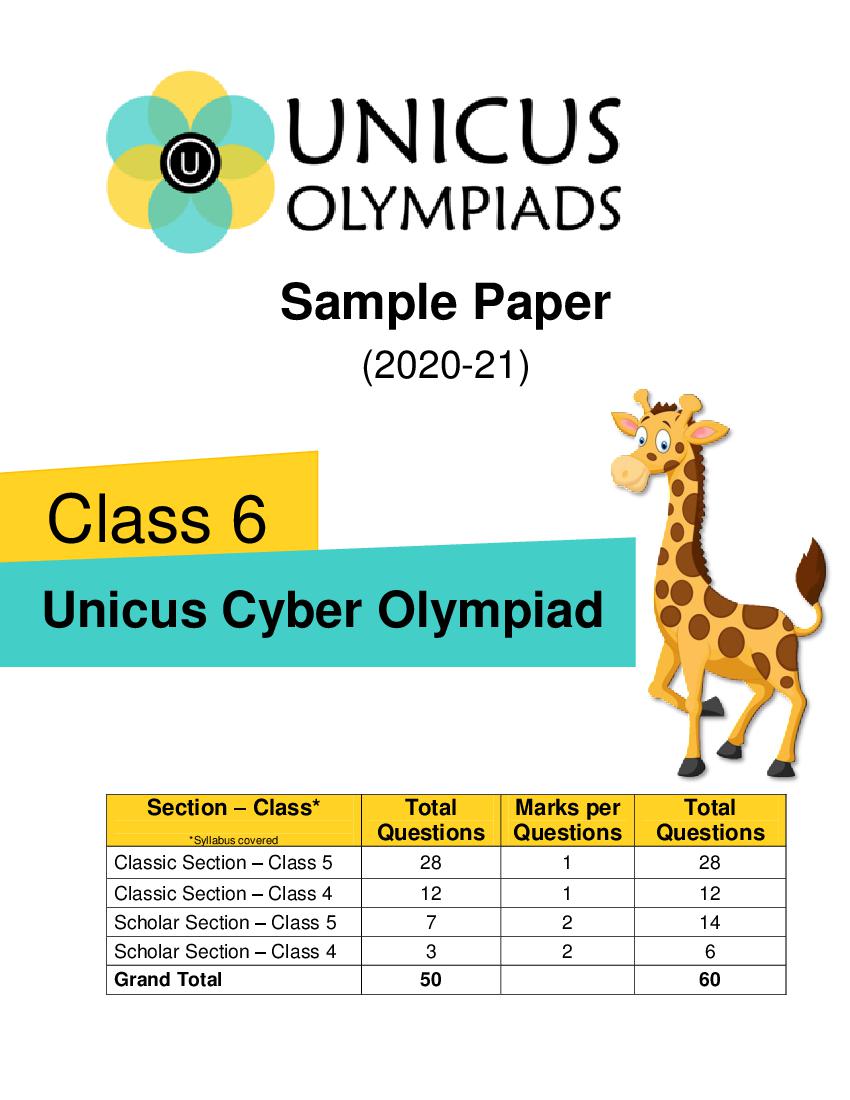
(2020-21)
Class 6
Unicus Cyber Olympiad
Section – Class* Total Marks per Total
*Syllabus covered Questions Questions Questions
Classic Section – Class 5 28 1 28
Classic Section – Class 4 12 1 12
Scholar Section – Class 5 7 2 14
Scholar Section – Class 4 3 2 6
Grand Total 50 60
Page 2
process data, such as responses to questions or clicking an icon?
a) Application Software b) Instructions
c) System Unit d) Operating System
Correct Answer: b 1 Mark
2. Pragya wants to send an electronic message to her friend Anamika. She should use
which of the following type of application to receive this message?
a) b)
c) d)
Correct Answer: d 1 Mark
3. In MS-Word, which of the following shortcut key combination is used to print the
document?
a) Ctrl + P b) Alt + P
c) Shift + P d) Ctrl + Alt + P
Correct Answer: a 1 Mark
4. Fill in the blank:
The Application Software which provides a graphical interactive interface for searching
and viewing information over a network or the internet is called ___________.
a) Graphics Viewer b) GUI Adapter
c) Web Browser d) Graphics Driver
Correct Answer: c 1 Mark
2
Page 3
a) Insert Textbox b) Arrange
c) Insert Shapes d) Online Pictures
Correct Answer: b 1 Mark
6. Identify the system component from the options given below, that controls and
manipulates data in order to produce information:
a) Monitor b) USB drive
c) Microprocessor d) CD-R
Correct Answer: c 1 Mark
7. Complete the sentence:
RAM is also known as volatile memory as ____________________.
a) the information stored in RAM disappears when the power is turned off
b) it is prone to getting corrupted
c) the storage in RAM is unreliable
d) the data cannot be saved within the RAM
Correct Answer: a 1 Mark
8. Which of the following is not an example of secondary memory?
a) b)
c) d)
Correct Answer: b
1 Mark
3
Page 4
I. An input device commonly used to control the movement of a cursor on a video
screen or video games.
II. It consists of a stick that pivots on a base and reports its angle or direction for
controlling.
a) b)
c) d)
Correct Answer: c 2 Marks
10. Udit heard about the "Disk Defragment" for the first time and he did not know about this
accessory program. So, he asked his teacher about its use. What according to you
would have been told by his teacher?
a) It is a utility included with Microsoft Windows operating systems and is used to view
the characters in any installed font, to check what keyboard input (Alt code) is used
to enter those characters, and to copy characters to the clipboard in lieu of typing
them.
b) It allows you to capture portions of your screen using four methods and then save
these snips as a JPG, GIF, PNG, or MHT file. The capture methods that can be used
to take snips are free-form, rectangular, window, and full-screen
c) It is a utility built into Windows removes temporary, cache and log files created by the
operating system and other programs - never your documents, media or programs
themselves.
d) It is a utility in Microsoft Windows designed to increase access speed by rearranging
files stored on a disk to occupy contiguous storage locations, a technique called
defragmentation.
Correct Answer: d 2 Marks
4
Document Details
| Board / Org | Default |
| Exam | Unicus |
| Type | Sample Paper |
| Pages | 4 |
| Language | english |
| Updated | 22 Jul 2026 |