AHSEC HS 1st Year Syllabus 2026 Multimedia and Web Technology
Finished viewing? Save it for later —
Download AHSEC HS 1st Year Syllabus 2026 Multimedia and Web Technology (PDF · 7 pages)About AHSEC HS 1st Year Syllabus 2026 Multimedia and Web Technology
AHSEC HS 1st Year Syllabus 2026 Multimedia and Web Technology is available here for free download. Published by Assam Board for Class 11, this syllabus can be viewed online or downloaded as a PDF (7 pages). Candidates preparing for Class 11 can use AHSEC HS 1st Year Syllabus 2026 Multimedia and Web Technology to understand the exam pattern, the type of questions asked, and the overall difficulty level.
Frequently Asked Questions
How can I download AHSEC HS 1st Year Syllabus 2026 Multimedia and Web Technology?
Open this page and click the Download button to save AHSEC HS 1st Year Syllabus 2026 Multimedia and Web Technology as a PDF. It is completely free on AglaSem Docs.
Is AHSEC HS 1st Year Syllabus 2026 Multimedia and Web Technology free to download?
Yes. AHSEC HS 1st Year Syllabus 2026 Multimedia and Web Technology can be viewed online and downloaded as a PDF free of cost on AglaSem Docs.
How many pages does AHSEC HS 1st Year Syllabus 2026 Multimedia and Web Technology have?
AHSEC HS 1st Year Syllabus 2026 Multimedia and Web Technology contains 7 pages, which you can read online or download together as a single PDF.
Where can I find more Class 11 study material?
You can find more Class 11 question papers, sample papers, syllabus, and answer keys on AglaSem Docs.
AHSEC HS 1st Year Syllabus 2026 Multimedia and Web Technology – Text
Read the full text of this syllabus below — useful to quickly search, copy and reference the content online without downloading the PDF.
📄 View text version (7 pages)
Page 1
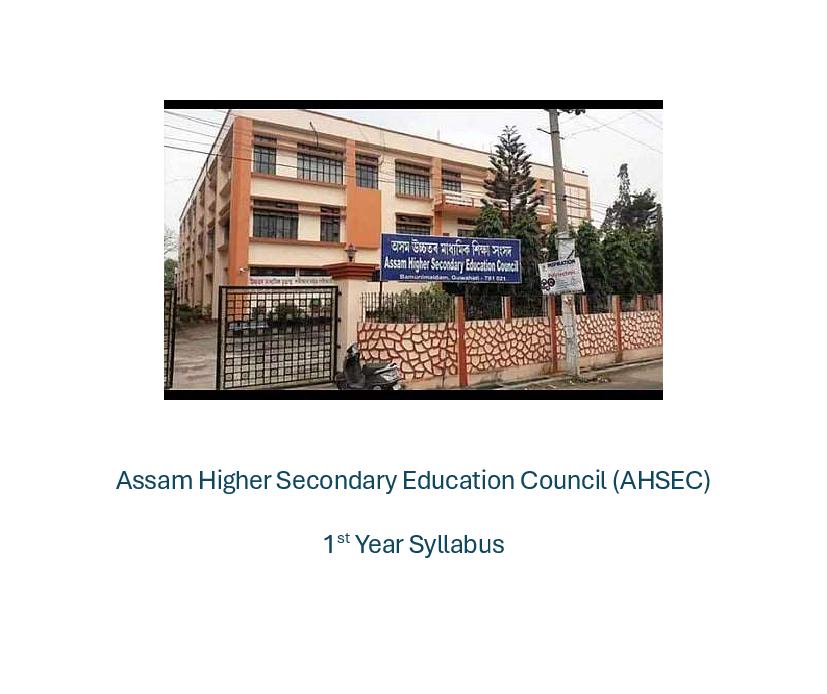
1st Year Syllabus
Page 2
MULTIMEDIA AND WEB TECHNOLOGY
SYLLABUS FOR HIGHER SECONDARY FIRST YEAR COURSE
Objectives
1. To get proficiency in Handling Computer Networks and the web.
2. To get proficiency in creating and managing Web site.
3. To be able to write server & client scripts.
4. To design Graphical images using Image-Editing tools.
5. To get proficiency in audio & video capture and editing using software tools.
6. To get proficiency in creating presentation with Audio and Video clips.
7. To become an entrepreneur in IT field.
SYLLABUS FOR HIGHER SECONDARY FIRST YEAR COURSE
One Paper (Theory) Time : Three hours Marks : 70
Unitwise Distribution of Marks & Periods :
Unit Title Marks Periods
Theory Practical Theory Practical
Unit-1 Computer System 15 10 30 20
Unit-2 Computer Networks 10 05 15 10
Unit-3 Web Technology 25 10 40 20
Unit-4 Multimedia / Viva Voce 20 05 25 20
Total : 70 30 110 70
Unitwise Distribution of Course Contents:
Unit-1 : COMPUTER SYSTEM :
Introduction to Computer, Hardware components of a computer, Block diagram. Input Output
devices, Primary and Secondary memory.
System software, Operating systems, Internal and External commands.
Windows: Desktop, Icons, Files, Folders, Creating moving, Renaming, Saving, Deleting files &:
Folders, Windows Explorer.
Documentation .: Opening/closing documents, typing, editing, saving documents, Fonts, colour,
aligning documents, bullets, columns. Creating/using tables, using dictionary. Printing documents,
Page setting.
Unit-2 : COMPUTER NETWORKS :
Network concepts, purpose of networks, types of networks, LAN, MAN, WAN, Network
topologies and structures. Introduction to ISO/ OSI model of networks. Introduction to Internet.
Transmission media : Twisted pair cable, coaxial cable, optical fiber, infrared, radio link, microwave
link and satellite link.
Page 3
Protocols : TCP/ IP, FTP, PPP, Telnet.
Concepts of Client & server (Tier concepts)
(Teachers have to explain concepts with examples)
Unit-3 : WEB TECHNOLOGY :
Web concepts : Introduction to web, Accessing' the web, web browsers, web pages, HTTP, URL,
Domains & Domain Names, Resolving Domain Names, Web hosting.
Web services, e-mail, voice-mail, search engines.
HTML/DHTML :
Basic Tags of HTML : HTML, HEAD, TITKE, BODY (Setting the Fore color and Background.
color, Background Image, Background Sound, Heading tag (HI to H6) and attributes (ALIGN),
FONT tag and Attributes (Size : 1 to 7 Levels, BASEFONT, SMALL, BIG, COLOR), P, BR,
Comment in HTML (<!>), Formatting Text (B, 1, U, EM, BLOCKQUOTE, PREFORMATTED,
SUB, SUP, STRIKE, Ordered List- OL (LI, Type-I, I, A, a, Start, VALUE). Unordered List- UL
(Bullet Type- Disc, Circle, Square, DL, DT, DD). ADDRESS Tag;
Creating Links : Link to other HTML documents or data objects, Links to other places in the
same HTML documents, Links to places in other HTML documents.
Anchor Tag <A. HREF> and <A NAME>, Inserting Inline Images <IMG ALIGN. SRC, WIDTH,
HEIGHT, ALT, Image Link, Horizontal Rules <HR ALIGN, WIDTH, SIZE, NOSHADE>;
Web Page Authoring Using HTML
Tables: Creating Tables, Border. TH. TR, TD, CELLSPACING, CELLPADDING, WIDTH,
COLSPAN. CAPTION, ALIGN, CENTER;
Frames: Percentage dimensions, Relative dimensions, Frame- Src, Frameborder, height and width.
Creating two. or more rows Frames <FRAMESET ROWS>, Creating two or more columns
Frames <FRAMESET COLS>, <FRAME NAME SRC MARGINHEIGHT MARGINWIDTH
SCROLLING AUTO NORESIZE>, <NOFRAMES>, <INORFRAMES>; Forms: Definition,
Use- Written to a file, Submitted to a database such as MSAccess or Oracle, E-mailed to someone
in particular, Forms involve two-way communication;
Form Tags: FORM, <SELECT NAME, SIZE, MULTIPLE/ SINGLE> <OPTION> .... </
SELECT>, <TEXTAREA NAME ROWS COLS>, </TEXTAREA>, METHOD. CHECKBOX,
HIDDEN, IMAGE, RADIO, RESET, SUBMIT, INPUT <VALUE, SRC, CHECKED, SIZE,
MAXLENGTH, ALIGN>;
Document Object Model :
Concept and Importance of Document Object Model Dynamic, HTML docuemts and Document
Object Model.
Cascading Style Sheets
Introduction to Cascading Style Sheet (CSS), three ways of introducing the style sheets to your
document. Basic Syntax; Creating and saving cascading style sheets. <STYLE> tag. Examples
showing the linking of external style sheet files to a document; Inline and Embed, <DIV>tag :
COLOR, BACKGROUND COLOR, FONT-FAMILY, FONT-STYLE, FONTSIZE
and FONT-VARIANT; FONTWEIGHT, WORD-SPACING, LETTER-SPACING,
TEXTDECORATION, VERTICAL-ALIGN, TEXT-TRANSFORM, TEXT-ALIGN,
TEXTINDENT, LINEHEIGHT,
Page 4
Introduction to Margin, Padding and Border,
MARGINS (all values), MARGIN-PROPERTY, PADDING (all values), PADDINGPROPERTY;
BORDER (all values), BORDER-PROPERTY, BACKGROUNDIMAGE,
BACKGROUND REPEAT;
Additional Features, Grouping Style Sheets, Assigning Classes; Introduction to Layers, <LAYER>,
<ILA YER> tag.
extensible Markup Language (XML)
XML: Introduction;
Features of XML : XML can be used with existing protocols, Supports a wide variety of applications,
Compatible with SGML, XML documents are reasonably clear to the layperson; Structure of
XML Logical Structure, Physical Structure;
XML Markup: Element Markup i.e <foo>Hello</foo>, Attribute Markup i.e, ( <!element.name
property =”value”>);
Naming Rules : used for elements and attributes, and for all the descriptors, Comments Entity
Declarations : <! ENTITY name "replacement text''>;
Element Declarations: <!ELEMENT name content>;
Empty Elements: <!ELEMENT empty. element EMPTY>;
Unrestricted Elements: <! ELEMENT any.element ANY>;
Element Content Models: Element Sequences i.e. <!ELEMENT counting (first, second, third, fourth»,
Element Choices <!ELEMENT choose (this.one | that.one>, Combined Sequences and Choices;
Element Occurrence Indicators : Discussion of Three Occurrence Indicators
‘? (Question Mark)
* (Asterisk Sign)
+ (Plus Sign)
Character Content : PCDATA (Parseable Character data) <!ELEMENT text(#PCDATA),
Document Type Declaration (DTD) and Validation;
Developing a DTD : Modify an existing SGML DTD, Developing a DTD From XML Code, either
automatically or manually;
Viewing XML in Internet Explorer, Viewing XML using the XML Data Source Object. XSL
(Extensible Style Sheet Language) or CSS (Cascading Style Sheet);
Scripting :
Introduction to scripting?
Understanding What is VB Script and Java Script.
Adding VB Script code to HTML page, VB Script Data type-Variant subtypes,
VB Script Variables: (Declaring variable, Naming restrictions, Assigning value to variables, Scalar
variables and Arrays), VB Script Constants, VB Script Operators, and Operator precedence; VB
Script Procedures and Variables.
Putting a Java Script in HTML code:
Java Script Blocks, Java Script Cock, Java Script Statements, Java Script Blocks, Java Script
Comments, Java Script Assignment Operators.]
Page 5
Unit-4 : MULTIMEDIA :
Basic concepts or Image : Digital Image and Digital image representation.
Image Formats: TIFF, BMP, JPG/JPEG, GIF, PIC, PDF, PSD.
Image Scanning with Scanner, setting up Resolution, size, File format of images, image preview,
Grey Scale and Colour option.
PDF file format, Creating modification (PDF Reader/Writer)
Graphic Tools : Image Editing Software (Photoshop / Coreldraw)
Basic Concepts: An Introduction, Creating, Opening and saving files, Menus, Toolbox, Color control
icons, Mode control icons, Window control icons; creating new images, Image capture (TWAIN)
from scanner other files;
Image Handling : Cropping an image, adjusting image size, increasing the size of the work canvas,
saving an image;
Layers : Adding layers, dragging and pasting selections on to layers, dragging layers between files,
viewing and hiding layers, Editing layers, rotating selections, scaling an object, preserving layers
transparency, moving and copying layers, duplicating layers, deleting layers, merging layers, using
adjustment layers;
Channels and Masks : Channel palette, showing and hiding channels, splitting channels in to separate
image, merging channels, creating a quick mask, editing masks using quick. mask mode;
Painting and Editing: Brushes palette, brush shape, creating and deleting brushes, creating custom
brushes, setting brush options, saving, loading and appending brushes, Options palette;
Opacity, pressure, or exposure, paint fade-out rate, making selections, using selection tools, adjusting
selections, softening the edges of a selection, hiding a selection border, moving and copying selections,
extending and reducing selections, pasting and deleting selections, image tracing (CorelDraw).
Sound: Recording sound, Editing sound, Noise correction, Sound effects (Sound Forge)
Sound File format: AIFF, WAY, MIDI, MP3 ASF
Page 6
SYLLABUS FOR MULTIMEDIA AND WEB TECHNOLOGY
PRACTICAL
Total Marks : 30 Total Periods : 70
1. Working on computers : 10 Marks
Booting computer; Desktop Iicons, shortcuts,
taskbar, mouse pointer; typing, saving and printing a simple text file, drawing simple picture using
MS Paint, using calculator option, customizing desktop, windows explorer, managing folders (creating,
moving, deleting, renaming); using floppy disk drive, using CD/DVD drives; managing files (copying,
moving, deleting, renaming); playing audio and video. Using Wordprocessing Software : MS-Office
for the word processing spread sheet etc. Printing documents.
2. Study of Networks : 05 Marks
Study of the LAN, Servers, Clients, Cables and Connectors, Hub/ switch (Basic idea only), Assigning
IP Address to computers.
Connecting to the Internet, Opening an e-mail account.
3. Designing Web page with following features: 10 Marks
HTML Basic Tags (html|head/title/body/B/I/U/BR/HR)
Anchor/ Image insertion/ Linking
Table/ Frame/ Form.
4. Viva Voce : 05 Marks
Five questions from the topics covered in the curriculum
Page 7
Notes
Model Papers Class 6 Notes
Sample Papers Class 7 Notes
Half Yearly Sample Papers Class 8 Notes
Class 9 Notes
Important Resources
Class 10 Notes
Periodic Table
Class 11 Notes
Writing Skills / Formats
Maps of India / World Class 12 Notes
Books and Solutions
NCERT Books
NCERT Book Solutions
HC Verma Chapter Wise Solutions
RD Sharma Solutions
CGBSE Solutions
Document Details
| Board / Org | Assam Board |
| Exam | Class 11 |
| Type | Syllabus |
| Pages | 7 |
| Updated | 24 Sep 2026 |