CBSE Class 11 Informatics Practices Syllabus 2020-21
Finished viewing? Save it for later —
Download CBSE Class 11 Informatics Practices Syllabus 2020-21 (PDF · 3 pages)About CBSE Class 11 Informatics Practices Syllabus 2020-21
CBSE Class 11 Informatics Practices Syllabus 2020-21 is available here for free download. Published by CBSE for Class 11, this syllabus can be viewed online or downloaded as a PDF (3 pages). Candidates preparing for Class 11 can use CBSE Class 11 Informatics Practices Syllabus 2020-21 to understand the exam pattern, the type of questions asked, and the overall difficulty level.
Frequently Asked Questions
How can I download CBSE Class 11 Informatics Practices Syllabus 2020-21?
Open this page and click the Download button to save CBSE Class 11 Informatics Practices Syllabus 2020-21 as a PDF. It is completely free on AglaSem Docs.
Is CBSE Class 11 Informatics Practices Syllabus 2020-21 free to download?
Yes. CBSE Class 11 Informatics Practices Syllabus 2020-21 can be viewed online and downloaded as a PDF free of cost on AglaSem Docs.
How many pages does CBSE Class 11 Informatics Practices Syllabus 2020-21 have?
CBSE Class 11 Informatics Practices Syllabus 2020-21 contains 3 pages, which you can read online or download together as a single PDF.
Where can I find more Class 11 study material?
You can find more Class 11 question papers, sample papers, syllabus, and answer keys on AglaSem Docs.
CBSE Class 11 Informatics Practices Syllabus 2020-21 – Text
Read the full text of this syllabus below — useful to quickly search, copy and reference the content online without downloading the PDF.
📄 View text version (3 pages)
Page 1
CLASS XI Code No. 065
1. Prerequisite. None
2. Learning Outcomes
At the end of this course, students will be able to:
● Identify the components of computer system.
● Create Python programs using different data types, lists and dictionaries.
● Understand database concepts and Relational Database Management Systems.
● Retrieve and manipulate data in RDBMS using Structured Query Language
● Identify the Emerging trends in the fields of Information Technology.
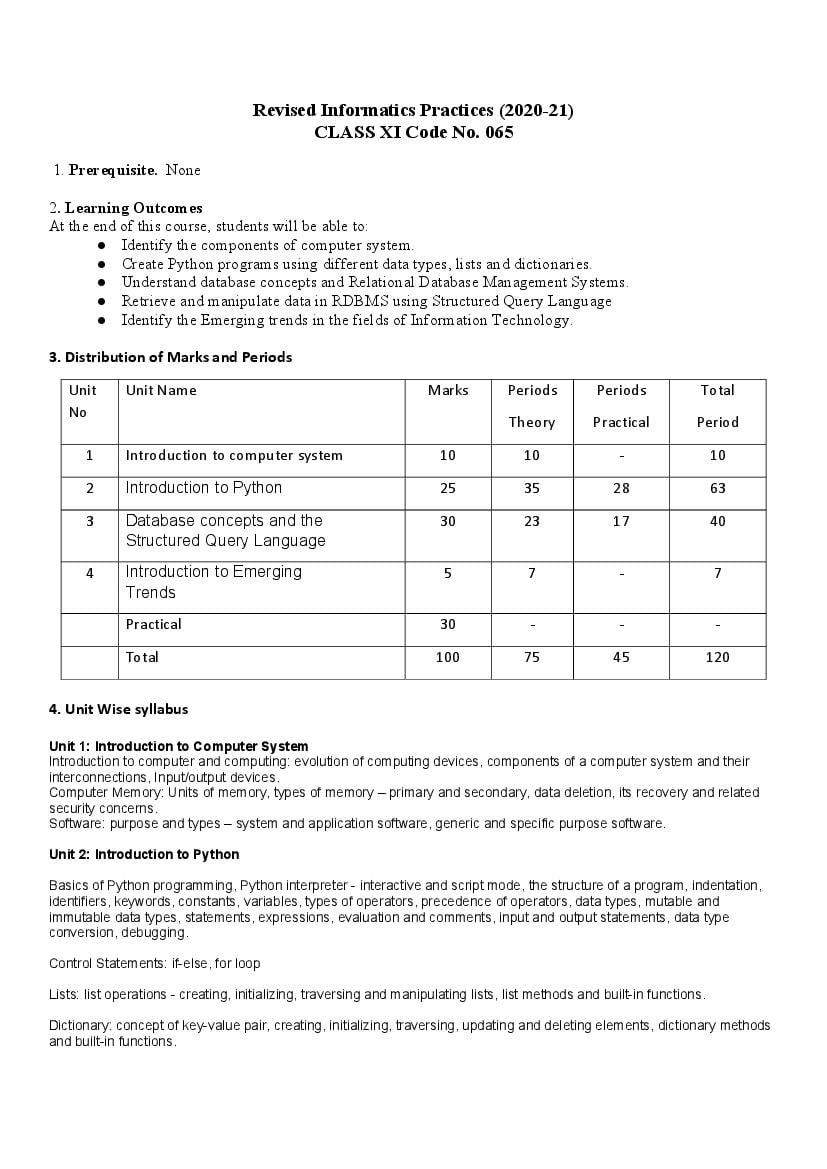
3. Distribution of Marks and Periods
Unit Unit Name Marks Periods Periods Total
No
Theory Practical Period
1 Introduction to computer system 10 10 - 10
2 Introduction to Python 25 35 28 63
3 Database concepts and the 30 23 17 40
Structured Query Language
4 Introduction to Emerging 5 7 - 7
Trends
Practical 30 - - -
Total 100 75 45 120
4. Unit Wise syllabus
Unit 1: Introduction to Computer System
Introduction to computer and computing: evolution of computing devices, components of a computer system and their
interconnections, Input/output devices.
Computer Memory: Units of memory, types of memory – primary and secondary, data deletion, its recovery and related
security concerns.
Software: purpose and types – system and application software, generic and specific purpose software.
Unit 2: Introduction to Python
Basics of Python programming, Python interpreter - interactive and script mode, the structure of a program, indentation,
identifiers, keywords, constants, variables, types of operators, precedence of operators, data types, mutable and
immutable data types, statements, expressions, evaluation and comments, input and output statements, data type
conversion, debugging.
Control Statements: if-else, for loop
Lists: list operations - creating, initializing, traversing and manipulating lists, list methods and built-in functions.
Dictionary: concept of key-value pair, creating, initializing, traversing, updating and deleting elements, dictionary methods
and built-in functions.
Page 2
Database Concepts: Introduction to database concepts and its need, Database Management System.
Relational data model: Concept of domain, tuple, relation, candidate key, primary key, alternate key
Advantages of using Structured Query Language, Data Definition Language, Data Query Language and Data
Manipulation Language, Introduction to MySQL, creating a database using MySQL, Data Types
Data Definition: CREATE TABLE
Data Query: SELECT, FROM, WHERE.
Data Manipulation: INSERT
Unit 4: Introduction to the Emerging Trends
Artificial Intelligence, Machine Learning, Natural Language Processing, Immersive experience (AR, VR), Robotics, Big data
and its characteristics, Internet of Things (IoT), Sensors, Smart cities, Cloud Computing and Cloud Services (SaaS, IaaS,
PaaS); Grid Computing, Block chain technology.
Practical Marks Distribution
S.No. Unit Name Marks
1 Problem solving using Python programming language 11
3 Creating database using MySQL and performing Queries 7
4 Practical file (minimum of 14 python programs, and 14 SQL queries) 7
5 Viva-Voce 5
Total 30
5. Suggested Practical List
5.1 Programming in Python
1. To find average and grade for given marks.
2. To find sale price of an item with given cost and discount (%).
3. To calculate perimeter/circumference and area of shapes such as triangle, rectangle, square and circle.
4. To calculate Simple and Compound interest.
5. To calculate profit-loss for given Cost and Sell Price.
6. To calculate EMI for Amount, Period and Interest.
7. To calculate tax - GST / Income Tax.
8. To find the largest and smallest numbers in a list.
9. To find the third largest/smallest number in a list.
10. To find the sum of squares of the first 100 natural numbers.
11. To print the first ‘n’ multiples of given number.
12. Create a dictionary to store names of states and their capitals.
Page 3
14. To print the highest and lowest values in the dictionary.
5.3 Data Management: SQL Commands
15. To create a database
16. To create student table with the student id, class, section, gender, name, dob, and marks as attributes where the
student id is the primary key.
17. To insert the details of at least 10 students in the above table.
18. To display the entire content of table.
19. To display Rno, Name and Marks of those students who are scoring marks more than 50.
20. To find the average of marks from the student table.
21. To find the number of students, who are from section ‘A’.
22. To display the information all the students, whose name starts with ‘AN’ (Examples: ANAND, ANGAD,..)
23. To display Rno, Name, DOB of those students who are born between ‘2005- 01-01’ and ‘2005-12-31’.
24. To display Rno, Name, DOB, Marks, Email of those male students in ascending order of their names.
25. To display Rno, Gender, Name, DOB, Marks, Email in descending order of their marks.
26. To display the unique section available in the table.
Suggested material
NCERT Informatics Practices - Text book for class - XI (ISBN- 978-93-5292-148-5 )
Excluded topics
Nested loop(Chapter -3, Section - 3.13)
Loading and saving NumPy array in text files (Chapter-6, Sections- 6.10 and 6.11)
Document Details
| Board / Org | CBSE |
| Exam | Class 11 |
| Type | Syllabus |
| Pages | 3 |
| Updated | 22 Jul 2026 |