HBSE Class 10 Syllabus 2024 Computer Science
Finished viewing? Save it for later —
Download HBSE Class 10 Syllabus 2024 Computer Science (PDF · 16 pages)About HBSE Class 10 Syllabus 2024 Computer Science
HBSE Class 10 Syllabus 2024 Computer Science is available here for free download. Published by Haryana Board for Class 10, this syllabus can be viewed online or downloaded as a PDF (16 pages). Candidates preparing for Class 10 can use HBSE Class 10 Syllabus 2024 Computer Science to understand the exam pattern, the type of questions asked, and the overall difficulty level.
Frequently Asked Questions
How can I download HBSE Class 10 Syllabus 2024 Computer Science?
Open this page and click the Download button to save HBSE Class 10 Syllabus 2024 Computer Science as a PDF. It is completely free on AglaSem Docs.
Is HBSE Class 10 Syllabus 2024 Computer Science free to download?
Yes. HBSE Class 10 Syllabus 2024 Computer Science can be viewed online and downloaded as a PDF free of cost on AglaSem Docs.
How many pages does HBSE Class 10 Syllabus 2024 Computer Science have?
HBSE Class 10 Syllabus 2024 Computer Science contains 16 pages, which you can read online or download together as a single PDF.
Where can I find more Class 10 study material?
You can find more Class 10 question papers, sample papers, syllabus, and answer keys on AglaSem Docs.
HBSE Class 10 Syllabus 2024 Computer Science – Text
Read the full text of this syllabus below — useful to quickly search, copy and reference the content online without downloading the PDF.
📄 View text version (16 pages)
Page 1
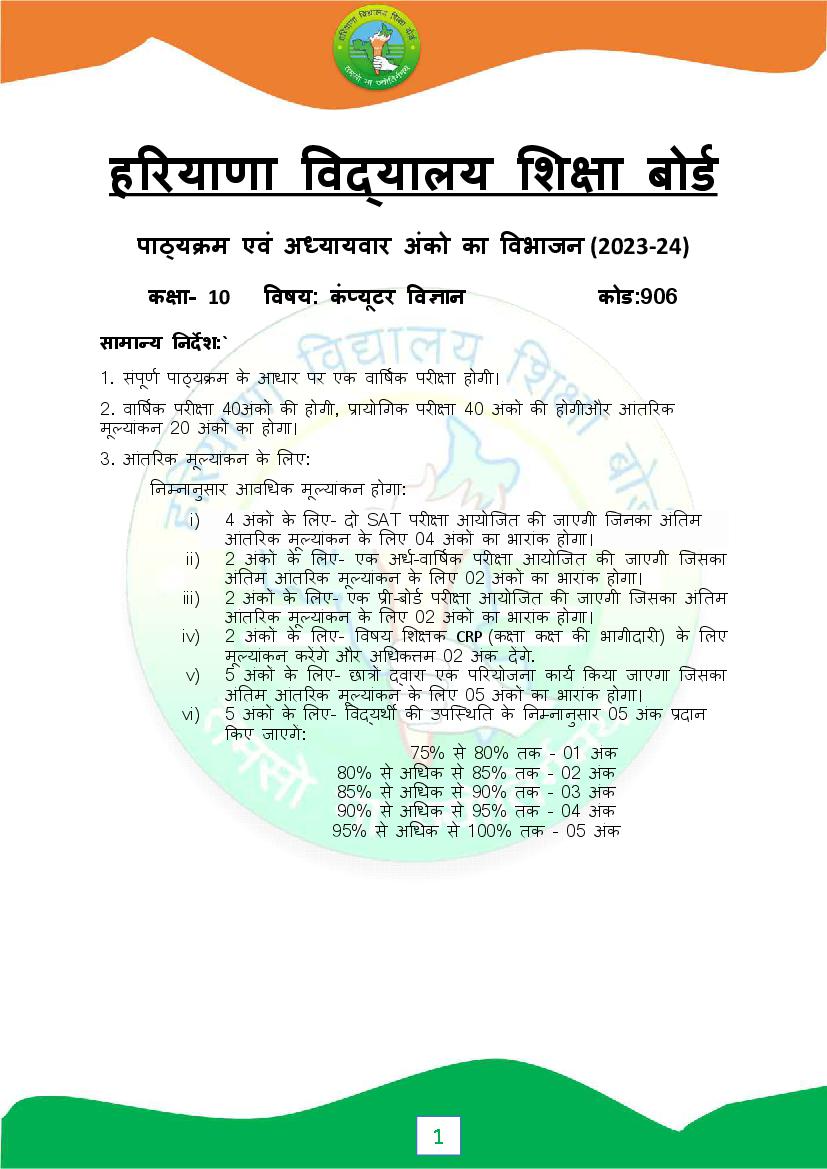
पा य म एवं अ यायवार अंको का वभाजन (2023-24)
क ा- 10 वषय: कं यट
ू र व ान कोड:906
सामा य नदश:`
1. संपूण पा य म के आधार पर एक वा षक पर ा होगी।
2. वा षक पर ा 40अंक क होगी, ायो गक पर ा 40 अंक क होगीऔर आंत रक
मू यांकन 20 अंक का होगा।
3. आंत रक मू यांकन के लए:
न नानुसार आव धक मू यांकन होगा:
i) 4 अंक के लए- दो SAT पर ा आयोिजत क जाएगी िजनका अं तम
आंत रक मू यांकन के लए 04 अंक का भारांक होगा।
ii) 2 अंक के लए- एक अध-वा षक पर ा आयोिजत क जाएगी िजसका
अं तम आंत रक मू यांकन के लए 02 अंक का भारांक होगा।
iii) 2 अंक के लए- एक ी-बोड पर ा आयोिजत क जाएगी िजसका अं तम
आंत रक मू यांकन के लए 02 अंक का भारांक होगा।
iv) 2 अंक के लए- वषय श क CRP (क ा क क भागीदार ) के लए
मू यांकन करगे और अ धक म 02 अंक दगे.
v) 5 अंक के लए- छा वारा एक प रयोजना काय कया जाएगा िजसका
अं तम आंत रक मू यांकन के लए 05 अंक का भारांक होगा।
vi) 5 अंक के लए- व यथ क उपि थ त के न नानुसार 05 अंक दान
कए जाएग:
75% से 80% तक - 01 अंक
80% से अ धक से 85% तक - 02 अंक
85% से अ धक से 90% तक - 03 अंक
90% से अ धक से 95% तक - 04 अंक
95% से अ धक से 100% तक - 05 अंक
1
Page 2
म यू नट अंक
सं या
1 ऍमएस ए सेस 05
2 क यु नकेशन टे नोलॉजी 07
3 इंटरनेट 08
4 साइबर स यो रट 05
5 एचट ऍमएल (HTML) 15
कुल 40
ायो गक पर ा 40
आंत रक मू यांकन 20
कुल योग 100
ायो गक पर ा के लए योज़ना
म यू नट अंक
सं या
1 ऍमएस ए सेस 10
2 इंटरनेट 05
3 एचट ऍमएल (HTML) 15
5 रपोट फाइल: कम से कम 10 एचट ऍमएल (HTML) पेज और ऍमएस 05
ए सेस के 2 द तावेज़
6 मौ खक पर ा। 05
कुल योग 40
2
Page 3
व तत
क ा- 10 वषय: कं यूटर व ान कोड:906
यू नट I: ऍम एस ए सेस2010
डेटाबेस क बु नयाद अवधारणाऔर आव यकता, डेटाबेस के लाभ, ऍमएस डेटाबेस क
आव यकता, ऍमएस ए सेस वंडो के घटक,डेटाबेस बनाना,मौजद ू ा डेटाबेस खोलना , ऍमएस
ए सेस डेटाबेस के त व, ऍमएस ए सेसके डाटा कार, ाइमर कंु जी( Key), डाटा शीट यू
म टे बल बनाना, डजाईन यू म टे बल बनाना, ाइमर कंु जी सेट करना , टे बल म डाटा दे खना
और ए डट करना, टे ब स ट ं करना.
यू नटII:संचार ोधो गक
कं यूटर नेटवक का प रचय, कं यूटर नेटवक क आव यकता
कं यूटर नेटवक के कार :PAN,LAN,MAN,WAN
ांस मशन मी डया(गाइडेड औरअन गाइडेड),वायड/वायरलेस संचार , Wi-Fi, लूटूथ , लाउड
कं यू टंग(पि लकऔर ाइवेट)
यू नटIII:इंटरनेट
इंटरनेट का इ तहास, इंटरनेट क काय णाल , व ड वाइड वेब, वेब सवस, वेब पोटल,
वेबसाइट, वेब ए ेस/यूआरएल(URL) , वेब पेज, लो स, यूज़ ु स, इ-मेल
इंटरनेट ोटोकॉ स: TCP/IP, FTP,TELNET,SMTP,HTTP,POP3
यू नटIV:साइबर स यो रट
कं यूटर वायरस, मैलवेयर, एडवेयर, वो स,रनसुमवेयर, पाईवेयर, हैकएरस और ै कस.सुर ा
उपाय,पहचान क सरु ा,पासवड का उ चत उपयोग,सच ू ना क गोपनीयता
यू नटV:HTML
HTML का प रचय:HTML का इ तहास,HTML डॉ यूमट बनाना और सहे जना,HTML डॉ यूमट
क संरचना,वेब ाउज़र का उपयोग करके वेब पेज तक पहुचना, HTML के त व( कंटे नर और
ए ट )
मूल HTMLए लमटस
html, head, title
body (ऐ यू स: text, background, bgcolor, link, vlink , alink )
HTML मेटे ट फोमाि टं ग ए लमटस
br( ेक)
hr(हो रजंटल ल), कमट इ सट करना
h1..h6 (हे डइं स)
3
Page 4
Font Tags (ऐ यू स: face, size , color)
Sup(सप ु रि ट), sub(सबि ट)
HTML डॉ यम
ू ट म ल ट बनाना
ol और ul (unorder और ordered ल टऐ यू स : type,start,li)
Description lists: dl, dt and dd
ल ट क नेि टं ग
HTML डॉ यूमट म च डालना
img (ऐ यू स :src ,width,height,alt,align,border)
HTML डॉ यूमट म टे ब सडालना
Table(ऐ यू स: border,cellpadding,width,cellspacing,bgcolor,
bordercolor)
Tr(ऐ यू स: align,width,height,bgcolor,bordercolor)
Td(ऐ यू स:bgcolor,align,valign,rowspan,colspan)
Th
Caption
वेब पेज के बीच बाहर और आंत रक लं कं ग
लं कं ग का मह व, <A> - Anchor ए लमट(Attributes:Name
HREF,TITLE,ALT), Email लं स
4
Page 5
क ा- 10 वषय: कं यूटर व ान कोड:906
वषय- व तु श ण दोहराई योगा मक
कालांश कालांश काय
अ ैल ऍमएस ए सेस 12 2 09
मई संचार ोधो गक 16 06
जून
गम क छु ट केदौरान श क वारा दान क गई ग त व धयाँ
जुलाई इंटरनेट 14 5 4
अग त साइबर स यो रट 15 8
सतंबर 12 4 7
अध-वा षक पर ा
HTML का प रचय
अक् तूबर HTML 12 4 6
मूल HTMLए लमटस
HTML मेटे ट फोमाि टं ग
ए लमटस
नवंबर HTML 12 4 5
HTML म ल ट
दसंबर HTML 12 4 7
HTML डॉ यूमट म च
डालना
HTML म टे ब स
5
Page 6
वेब पेज के बीच बाहर
और आंत रक लं कं ग
फ़रवर दोहराई
माच वा षक पर ा
नोट:
वषय श क को सलाह द जाती है क वे छा को श दावल या अवधारणा क
प टता को बढ़ाने के लए अ याय म उपयोग क जाने वाल श दावल प रभाषा मक
श द क नोटबुक तैयार करने के लए नद शत कर।
छा को श क क सु वधानस
ु ार ोजे ट वक दया जानाहै। ( अ धमानत: दस बर
के मह ने म)
6
Page 7
योग
(1) ऍम एस ए सेस
ऍम एस ए सेस म उपल ध टू स का योग करते हुए:
डेटाबेस बनाना
डाटाशीट यू और डजाईन यू म टे बल बनाना
टे बल को ए डट करना
ाइमर कंु जी सेट करना
(2)इंटरनेट
सच इंजन का उपयोग कर के जानकार एक त करना
E-MAIL भेजना
(3) HTML
न न ल खत HTML ए लमट का उपयोग करते हुए वेब पेज बनाना
HTML,HEAD,TITLE,BODY
FONT
CENTER,BR,HR,B,I,U,P,SUB,SUP
UL,OL,DL
वेब पेज म टे बल और इमेज डालना
7
Page 8
क ा- 10 वषय: कं यूटर व ान कोड:906
योग
न का अंक सं या ववरण कुल अंक
कार
व तु न ठ न 1 10 4 बहु- वक पीय न, 10
2 र त थान भरो न,
2 अ भकथन-कारण
2सह /गलत
अत 2 5 कसी एक न म आंत रक वक प 10
लघु रा मक दया जाएगा
न
लघु रा मक 3 4 कसी एक न म आंत रक वक प 12
न दया जाएगा
द घ उ रा मक 4 2 सभी न म आंत रक वक प 8
न दया जाएगा
कुल 21 40
8
Page 9
Syllabus and Chapter wise division of Marks (2023-24)
Class- 10 Subject: Computer Science Code:906
General Instructions:
1. There will be an Annual Examination based on the entire syllabus.
2. The Annual Examination will be of 40 marks, Practical Examination will be
of 20 marks and 20 marks weightage shall be for Internal Assessment.
3. For Internal Assessment:
There will be Periodic Assessment that would include:
i) For 4 marks- Two SAT exams will be conducted and will have a
weightage of 04 marks towards the final Internal Assessment.
ii) For 2 marks- One half yearly exam will be conducted and will
have a weightage of 02 marks towards the final Internal
Assessment.
iii) For 2 marks- One Pre-Board exam will be conducted and will
have a weightage of 02 marks towards the final Internal
Assessment.
iv) For 2 marks- Subject teacher will assess and give maximum 02
marks for CRP (Class room participation).
v) For 5 marks- A project work to be done by students and will have
a weightage of 05 marks towards the final Internal Assessment.
vi) For 5 marks- Attendance of student will be awarded 05 marks as:
75% to 80% - 01 marks
Above 80% to 85% - 02 marks
Above 85% to 90% - 03 marks
Above 90% to 95% - 04 marks
Above 95% to 100% - 05 marks
9
Page 10
Class- 10 Subject: Computer Science Code: 906
Sr. No. UNIT Marks
1 MS Access 05
2 Communication Technology 07
3 Internet 08
4 Cyber Security 05
5 HTML 15
Total 40
Practical Examination 40
Internal Assessment 20
Grand Total 100
Scheme for Practical Examination
Sr. No. UNIT Marks
1 MS Access 10
2 Internet 05
3 HTML 15
4 Report File (Atleast 10 pages of HTML and 2 documents of 05
MS Access)
5 Viva 05
Total 40
10
Page 11
Class- 10 Subject: Computer Science Code: 906
UNIT I : MS Access2010
Basic Concepts and need for a Database, Advantages of database, Features of MS
Access Database, Components of MS Access Window, Creating a Database,
Opening an existing Database, Elements of MS Access Database, Data Types in
MS Access, Primary Key, Creating Table in Datasheet view, Creating Table in
Design View, Setting Primary Key, Viewing and editing data in a table, Printing
Tables.
Unit II :Communication Technology
Introductionof computer Network, Need for a computer Network
Types of computer Network:PAN,LAN,MAN,WAN
Transmission media(guided and unguided)
Wired/wireless communication, Wi-Fi
Bluetooth,Cloud Computing (Public and Private)
UNIT III: Internet
Introduction to internet, History of internet, Working of internet, internet
requirements,world Wide Web, Web Servers, Web Portal, Web Site, Web
Address/URL , Web Page, Blogs, News Groups,E-mail
Internet Protocols: TCP/IP, FTP,TELNET,SMTP,HTTP,POP3
UNIT IV: Cyber Security
Computer virus, Malware, Adware, Worms,Trojan,Ransomware,Spyware,
Hackers and Crackers.
11
Page 12
of information.
UNIT V: HTML
Introduction to HTML:
History of HTML, Creating and Saving an HTML document,accessing a
Webpage using Web Browser, container and empty elements.
Basic HTMLelements
html, head, title
body (attributes: text, background, bgcolor, link, vlink , alink )
Text Formatting elements in HTML
br(break)
hr(horizontal rule), inserting comments
h1..h6 (heading)
p (paragraph), b (bold), i (italics), u (underline)
Font Tags (attributes: face, size , color)
Sup(superscript), sub(subscript)
Lists in HTML
ol and ul (unorder and ordered list attributes : type,start,li)
Description lists: dl, dt and dd
Nesting of lists
Inserting images in HTML
insert images: img (attributes :src ,width,height,alt,align,border)
Inserting Table in HTML
Table(attributes: border,cellpadding,width,cell spacing,bgcolor
,bordercolor)
Tr(attributes:align,width,height,bgcolor,bordercolor) ,
Td(attributes:bgcolor,align,valign,rowspan,colspan)
Th
Caption
Internal and External linking in web pages
Significance of linking,<A> - Anchor element(Attributes:Name
HREF,TITLE,ALT),Email links
12
Page 13
Class- 10 Subject: Computer Science Code: 906
Month Subject- content Teaching Revision Practical
Periods Periods Work
April MS Access 12 02 09
May Communication 16 06
Technology
June
Students will do assigned task by theteacher during summer
vacation
July Internet 14 5 4
August Cyber Security 15 8
September Introduction to HTML 12 4 6
Half-Yearly Exams
October HTML 12 4 6
Basic HTML
elements
TextFormatting
elements in HTML
November HTML 12 4 6
Lists in HTML
13
Page 14
inserting images in
HTML
inserting Table in
HTML
January 6 2 3
HTML
Internal and External
linking in web pages
February Revision
March Annual Examination
Note:
Subject teachers are advised to direct the students to prepare notebook
of the Terminology/Definitional Words used in the lessons for
enhancement of vocabulary or clarity of the topic.
Project work must be given to the students as per the convenience of
the teacher. ( Preferably in the month of December)
14
Page 15
Practical
(1) MS Access
Creating a Database
Creating a Table in Datasheet View and Design View
Editing data in a Table
Setting the Primary Key
(2) Internet
Finding information using Search engine
Sending E-mail
(3) HTML
Creating HTMLwebpage using following tags:
HTML,HEAD,TITLE,BODY
FONT
CENTER,BR,HR,B,I,U,P,SUB,SUP
UL,OL,DL
Inserting table and image in a webpage
15
Page 16
Class- 10 Subject:Computer Science Code:906
Type of Marks Number Description Total
Question Of each Of Marks
question question
Objective 1 10 4 Multiple Choice 10
Type Questions
Questions 2 Fill in the blank
2 Assertion/Reason
2True/false
Very Short 2 5 Internal choice will be given 10
Answer type in anyone question
Questions
Short 3 4 Internal choice will be given 12
Answer in any one question
type
Questions
Essay type 4 2 Internal choice will be 8
Questions given in all the questions
Total 21 40
16
Document Details
| Board / Org | Haryana Board |
| Exam | Class 10 |
| Type | Syllabus |
| Pages | 16 |
| Updated | 30 Apr 2026 |