CBSE Class 12 Question Paper 2025 Solution Typography and Computer Application
Finished viewing? Save it for later —
Download CBSE Class 12 Question Paper 2025 Solution Typography and Computer Application (PDF · 10 pages)About CBSE Class 12 Question Paper 2025 Solution Typography and Computer Application
CBSE Class 12 Question Paper 2025 Solution Typography and Computer Application is available here for free download. Published by CBSE for Class 12, this solution can be viewed online or downloaded as a PDF (10 pages). Candidates preparing for Class 12 can use CBSE Class 12 Question Paper 2025 Solution Typography and Computer Application to understand the exam pattern, the type of questions asked, and the overall difficulty level.
Frequently Asked Questions
How can I download CBSE Class 12 Question Paper 2025 Solution Typography and Computer Application?
Open this page and click the Download button to save CBSE Class 12 Question Paper 2025 Solution Typography and Computer Application as a PDF. It is completely free on AglaSem Docs.
Is CBSE Class 12 Question Paper 2025 Solution Typography and Computer Application free to download?
Yes. CBSE Class 12 Question Paper 2025 Solution Typography and Computer Application can be viewed online and downloaded as a PDF free of cost on AglaSem Docs.
How many pages does CBSE Class 12 Question Paper 2025 Solution Typography and Computer Application have?
CBSE Class 12 Question Paper 2025 Solution Typography and Computer Application contains 10 pages, which you can read online or download together as a single PDF.
Where can I find more Class 12 study material?
You can find more Class 12 question papers, sample papers, syllabus, and answer keys on AglaSem Docs.
CBSE Class 12 Question Paper 2025 Solution Typography and Computer Application – Text
Read the full text of this solution below — useful to quickly search, copy and reference the content online without downloading the PDF.
📄 View text version (10 pages)
Page 1
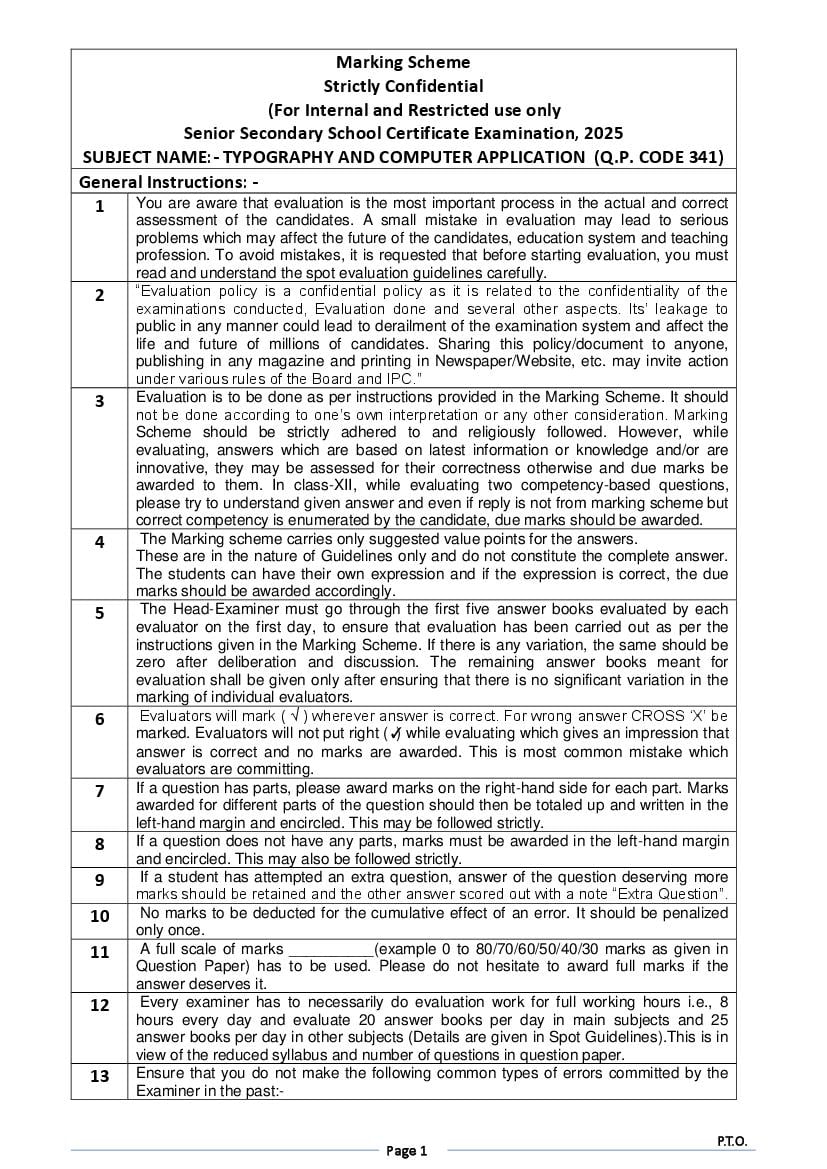
Strictly Confidential
(For Internal and Restricted use only
Senior Secondary School Certificate Examination, 2025
SUBJECT NAME:- TYPOGRAPHY AND COMPUTER APPLICATION (Q.P. CODE 341)
General Instructions: -
1 You are aware that evaluation is the most important process in the actual and correct
assessment of the candidates. A small mistake in evaluation may lead to serious
problems which may affect the future of the candidates, education system and teaching
profession. To avoid mistakes, it is requested that before starting evaluation, you must
read and understand the spot evaluation guidelines carefully.
2 “Evaluation policy is a confidential policy as it is related to the confidentiality of the
examinations conducted, Evaluation done and several other aspects. Its’ leakage to
public in any manner could lead to derailment of the examination system and affect the
life and future of millions of candidates. Sharing this policy/document to anyone,
publishing in any magazine and printing in Newspaper/Website, etc. may invite action
under various rules of the Board and IPC.”
3 Evaluation is to be done as per instructions provided in the Marking Scheme. It should
not be done according to one’s own interpretation or any other consideration. Marking
Scheme should be strictly adhered to and religiously followed. However, while
evaluating, answers which are based on latest information or knowledge and/or are
innovative, they may be assessed for their correctness otherwise and due marks be
awarded to them. In class-XII, while evaluating two competency-based questions,
please try to understand given answer and even if reply is not from marking scheme but
correct competency is enumerated by the candidate, due marks should be awarded.
4 The Marking scheme carries only suggested value points for the answers.
These are in the nature of Guidelines only and do not constitute the complete answer.
The students can have their own expression and if the expression is correct, the due
marks should be awarded accordingly.
5 The Head-Examiner must go through the first five answer books evaluated by each
evaluator on the first day, to ensure that evaluation has been carried out as per the
instructions given in the Marking Scheme. If there is any variation, the same should be
zero after deliberation and discussion. The remaining answer books meant for
evaluation shall be given only after ensuring that there is no significant variation in the
marking of individual evaluators.
6 Evaluators will mark ( √ ) wherever answer is correct. For wrong answer CROSS ‘X’ be
marked. Evaluators will not put right (✓) while evaluating which gives an impression that
answer is correct and no marks are awarded. This is most common mistake which
evaluators are committing.
7 If a question has parts, please award marks on the right-hand side for each part. Marks
awarded for different parts of the question should then be totaled up and written in the
left-hand margin and encircled. This may be followed strictly.
8 If a question does not have any parts, marks must be awarded in the left-hand margin
and encircled. This may also be followed strictly.
9 If a student has attempted an extra question, answer of the question deserving more
marks should be retained and the other answer scored out with a note “Extra Question”.
10 No marks to be deducted for the cumulative effect of an error. It should be penalized
only once.
11 A full scale of marks __________(example 0 to 80/70/60/50/40/30 marks as given in
Question Paper) has to be used. Please do not hesitate to award full marks if the
answer deserves it.
12 Every examiner has to necessarily do evaluation work for full working hours i.e., 8
hours every day and evaluate 20 answer books per day in main subjects and 25
answer books per day in other subjects (Details are given in Spot Guidelines).This is in
view of the reduced syllabus and number of questions in question paper.
13 Ensure that you do not make the following common types of errors committed by the
Examiner in the past:-
Page 1
Page 2
Giving more marks for an answer than assigned to it.
Wrong totaling of marks awarded on an answer.
Wrong transfer of marks from the inside pages of the answer book to the title
page.
Wrong question wise totaling on the title page.
Wrong totaling of marks of the two columns on the title page.
Wrong grand total.
Marks in words and figures not tallying/not same.
Wrong transfer of marks from the answer book to online award list.
Answers marked as correct, but marks not awarded. (Ensure that the right tick
mark is correctly and clearly indicated. It should merely be a line. Same is with
the X for incorrect answer.)
Half or a part of answer marked correct and the rest as wrong, but no marks
awarded.
14 While evaluating the answer books if the answer is found to be totally incorrect, it
should be marked as cross (X) and awarded zero (0)Marks.
15 Any unassessed portion, non-carrying over of marks to the title page, or totaling error
detected by the candidate shall damage the prestige of all the personnel engaged in the
evaluation work as also of the Board. Hence, in order to uphold the prestige of all
concerned, it is again reiterated that the instructions be followed meticulously and
judiciously.
16 The Examiners should acquaint themselves with the guidelines given in the “Guidelines
for Spot Evaluation” before starting the actual evaluation.
17 Every Examiner shall also ensure that all the answers are evaluated, marks carried
over to the title page, correctly totaled and written in figures and words.
18 The candidates are entitled to obtain photocopy of the Answer Book on request on
payment of the prescribed processing fee. All Examiners/Additional Head Examiners/
Head Examiners are once again reminded that they must ensure that evaluation is
carried out strictly as per value points for each answer as given in the Marking Scheme.
Page 2
Page 3
Marking Scheme class XII session (2024-2025)
Max. Time 3 Hours Max.Marks:60
General Instructions.
a. The marking scheme carries only suggested value points for the answers.
b. These are only Guidelines and do not constitute the complete answer.
c. The students can have their own expression and if the expression is correct, the marks be
awarded accordingly.
d. The candidates would be permitted to obtain a photocopy of the Answer Book on request
on payment of the prescribed processing fee. All Evaluators/Additional Head Examiners/
Head Examiners are once again reminded that they must ensure that evaluation is carried
out as per value points for each answer as given in the Marking Scheme.
e. All the Head Examiners/Additional Head Examiners/Evaluators are instructed that while
evaluating the answer books if the answer is found to be totally incorrect,(X) Should be
marked on the incorrect answer and awarded '0' Marks.
Page 3
Page 4
Senior Secondary School Certificate Examination,2025
TYPOGRAPHY AND COMPUTER APPLICATION (817)
SECTION A
(Objective Type Question) Marks :- 30
1. Answer any 4 out of the given 6 questions on Employability Skills.
4x1=4
(i) (A) Evaluating 1
(ii) (D) Neuroticism 1
(iii) Cell Range 1
(iv) Ctrl+M 1
(v) People who take up entrepreneurship in the field of Information
Technology is called IT entrepreneurs. 1
(vi) (B) Initiative 1
2. Answer any 5 out of the given 7 questions. 5x1=5
(i) Dear Mr. or My Dear Shri 1
(ii) American Style 1
(iii) (B) Office Orders 1
(iv) Centralized the matter 1
(v) Write the matter in full form instead of short forms 1
(vi) I-I 1
(vii) Capital Letter 1
3. Answer any 6 out of given 7 questions. 6x1=6
(i) 4 (Numbers, Text, Date and Time, Data in series) 1
(ii) (C) Formula Tab 1
(iii) (C) Merge cells 1
(iv) Comparison/Logical 1
(v) (a) Mathematical Operators (b) Comparison Operators 1
(vi) Automatically fill a series of numbers, numbers and text combinations,
Dates or time periods based on the pattern established. Select cells
and drag the fill handle. 1
(vii) (A) Drag & Drop 1
4. Answer any 5 out of given 6 questions. 5x1=5
(i) (B) Presentation View 1
(ii) Notes Page 1
(iii) A thumbnail is a small image representation of large image. 1
Page 4
Page 5
Lycos,Indiatimes (Any Two) 1
(v) B2B (Business to Business) 1
B2C (Business to Consumer)
C2B (Consumer to Business)
C2C (Consumer to Consumer) ( Any two)
(vi) ‘AND’ Operator 1
5. Answer any 5 out of given 6 questions. 5x1=5
(i) (A) Save as Draft 1
(ii) Gmail, Outlook.com, Yahoo Mail, AOL mail, Hotmail, iCloud Mail 1
(Any two)
(iii) E-Business 1
(iv) (D) quotation marks 1
(v) Starred’ (*) star appears to the left of the sender names in the inbox and
can be marked for later use. 1
(vi) Spam 1
6. Answer any 5 out of given 6 questions 5x1=5
(i) (B) Paper Clip Icon 1
(ii) McAfee, Kaspersky, Norton Anti-Virus,Webroot, AVG, Quick Heal 1
EScan, Microsoft Security Essentials (Any Two)
(iii) Internet is the main reason of Virus Infection in Computers. 1
(iv) Trojan Horse 1
(v) Boot Sector Virus is automatically located by the hardware during 1
the booting process and then it is loaded. This virus infects the computer’s
storage media such as hard drives, floppies, CDs and DVDs. 1
(vi) Electronic Virus. 1
Section:-B
(Subjective Type Questions) 30 Marks
Answer any 3 out of the given 5 questions on Employability Skills. Answer each
question in 20-30 words each. 3x2=6
7. Motivation is derived from the word ‘motive’ which directing behaviour towards
certain motive or goal is the essence of Motivation.
Extrinsic Motivation: - It arises because of incentives or external rewards. Lack of
motivation or incentives may lead to frustration. For example, employees who are
kept on contractual basis for a long time may get frustrated and leave an
Organisation. 2
Page 5
Page 6
to convey to the other person.
(ii) A concise statement is appropriately brief or to the point.
(iii) A correct statement is one that is factual which makes the sentence
accurate. 2
9. Spreadsheet is an electronic document which has rows and columns. It is used
to store data in a systematic way and do calculations.
Steps to enter data in a Spreadsheet: -
(i) Click on the cell where we want to enter data.
(ii) Type text or Number. As we type, we can see the data in the Formula Bar as
well. When we complete typing then press Enter.
(iii) The Cursor is set on the next cell and we can continue entering other data.
(iv) The formula must be entered in the cell starting with ‘=’ equal to symbol. 2
10. Characteristics of Entrepreneurship: -
(i) Economic activity done to create develop and maintain a profit-oriented
organization.
(ii) It begins with identifying an opportunity as a potential to sell and make profit.
(iii) It deals with optimization in utilisation of resources.
(iv) It is the ability of an enterprise and an entrepreneur to take risks.(Any two) 2
11. (i) Reusing scrap material. For example, in paper mills.
(ii) Ensuring quality control -If the quality of products is maintained, there will be
a decrease in rejected products, thus reducing waste.
(iii) Waste Exchange: - where the waste products of one process becomes the
raw material for another. It represents the way of reducing waste disposal
through re-use.
(iv.) Managing e-waste- we have also encountered problems in managing E-waste
like old mobile phones, laptops and television sets.
(v) Use of eco-friendly material: - we can use various materials which are
eco-friendly. For example, paper bags, banana leaf andpaper plates that
are easily disposable. 2
Answer any 3 out of the given 5 questions in 20-30 words each. 3x2=6
12. Semi block style is the combination of both, the indented style and block style.
There is no indentation in the first line of each paragraph in the body of the letters.
All the text of the paragraph is aligned to the left set margin. All the other parts of the
letters are typed in the same way as in the indented style. It gives a neat and balance
look to the letter. Paragraphs are separated by double or triple spacing. 2
Page 6
Page 7
(ii) Let it stand as it, do not delete the matter, ignore the correction underlined.
(iii) Insert Semi-colon
(iv) Insert double inverted comma. 2
14. A cell is a rectangle shaped box, where the row and column meet. Or the smallest
unit of a worksheet which is seen at the intersection of row and a column is called
cell.
Active Cell- The cell that is selected to enter data appears highlighted with boundary
is knows as Active cell. 2
15. One can find information through a search engine with following steps.
(i) Connect to the internet.
(ii) Open browser.
(iii) Type the address (URL) of the search engine in the browser.
(iv) Home page of search engine opens.
(v) Type the query in the search box.
(vi) Press enters. 2
16. It automatically adds the values. the function of Auto Sum is to add the content
of selected range of cells by inserting “SUM” function formula automatically.
It provides the quick & accurate calculation as totals, Average, count Numbers,
Maximum, Minimum.
2
Answer any 2 out of the given 3 question in 30 to 50 words each 2x3=6
17.Steps to opening an existing presentation.
(i) Open Microsoft power point.
(ii) Click on the Office button/File Tab
(iii) Select open, Open dialogue box will appear then
(iv) Select the file name which is already existing then
(v) Click on open 3
18. E-mail = Electronic Mail, is an electronic exchange of message. It is a quick and
Inexpensive way to stay in touch with the near and dear ones. An email recipient
does not even have to be available when email is sent to her/him. It is stored in
the mail server and the recipient can log in and download it at a convenient time.
Advantages of E-mail are as follows: -
(i) E-mail is free: - E-mail is a free of cost service and does not involve physical
parameters.
(ii) E-mail is fast: - E-mail provides fastest mode of messaging when compare to
Page 7
Page 8
(iii) Mass mailing: - You can target multiple audiences in one go using E-mailing
by selecting multiple recipients.
(iv) E-mail for record keeping: - use E-mail as a record keeper for all your
conversation/ discussion.
(v) Environment Friendly: - In postal mail we use large no of papers but by
electronic mail we can save the paper and large number of trees. It also saves
the fuel needed for transportation. 3
19. Relative Referencing: - Calling cells by their column and row labels (such as “AI”) is
called Relative Referencing. When a formula has Relative Referencing and it is copied
from one cell to another, it will change the cell address relative to the Row and
Column to which they are moved to.
Absolute Referencing: - To prevent the cell addresses to change, a dollar sign “$” is
placed before column and row location in the formula. The Cell references will not
change when copied. 3
Answer any 3 out of the given 5 questions in 50 to 80 words each. 3x4 =12
20. Another name ofDemi official letter is D.O. letter. Demi Official letter is generally
written or typed in the form of personal and private communication between Senior
Officers of the Govt. Departments or Ministries, requiring urgent attention on any
important pending official matters. Such as maintenance of secrecy and expecting
quick decision on the matter etc.
Features of the Demi official Letter are: -
(i) D.O. letter is written in first person using “I” instead of “We”.
(ii) It is addressed personally to an officer by his/her name.
(iii) The reference No. is written as D.O. No. and date is as usual.
(iv) Subject is not mentioned in the D.O. letter.
(v) Salutation in D.O. letter is written as Dear Mr.____ and My dear Shri___ like a
personal letter.
(vi) The Complimentary close often used in D.O. letter as “Yours Sincerely” or
“Sincerely yours” or “Sincerely”.
(vii) It is signed by the officer without stating his designation at the bottom as the
same is written on the letter head. Only the name is written within brackets.
(viii) In D.O. letter the name and the address of the addressee/receiver is written at
the end on left hand bottom corner of letter after the signature line. 4
21. Biological Virus: - Biological Virus is known as Human Virus are tiny infectious agent
having genetic code DNA or RNA that replicates inside the cells of an organism. This
virus affects living or non-living things like humans, animals, and plants. The main
causes of this virus are air, water, mosquitoes and the direct contact of infected
person. This virus completely natural.
Page 8
Page 9
the other programmes as well as replicate itself without the knowledge of the user.
And infects the computer system including hardware, software and data. Computer
virus spread through email attachments and download infected software. Can not
affect living things. Internet is the main reason of Virus Infection in Computers. 4
22. A Search engine can be defined as a tool to search the disorganized sources of
information available on the Internet. It is just like needed for the same reason we
need a card catalogue in a library. As there is lots of great and useful information in a
library, but it is physically impossible to examine all the books personally. There are
millions of pages and billions of words on the web and just like card catalogue Search
Engine help us as a tool to search information, products and businesses on the web.
Using a search engine is very simple. Just type in the data to be searched, the space
provided at the search engine’s current page, and click search. The result will be
displayed with information corresponding to the search in the form of a list of web-
sites that match that word or phrase.
Google, Yahoo, and Rediff etc. are some of popular search engines. 4
23. Different types of Charts used in Excel are as follows: -
COLUMN CHART: - They compare distinct items. In this chart category axis is
horizontal (X-axis) and value axis is vertical (Y-axis). It is important to keep the
number of series in a column chart to a minimum. Too many series cause the column
to become too narrow and difficult to analyse. Column charts are used to compare
the result.
BAR CHART: - Compare distinct items or show single items at distinct intervals. It is
similar to column chart except that in this chart value axis is horizontal(X-axis) and
category axis is vertical (Y-axis).
AREA CHART: - They show the relative contribution of each value to a total over time.
LINE CHART: - These charts are useful to compare the trends over time. Data points
connected with straight lines.
PIE CHART: - The charts show the proportion of each value to the total value in a data
series. They are used to show proportional sales figures, or representation of different
categories of population like workers, male/female, adults/children etc. 4
24.A Computer Virus is software programs attached to a legitimate program that is
destructive in nature and infects other program in the system by replicating and
attaching itself to another healthy program.
Harmful effects of Computer Virus: -
Page 9
Page 10
inefficient or run slowly.
(ii) Virus can corrupt the data or system files.
(iii) Effect the functionality of software applications.
(iv) Effect the Hard Disk by erasing everything
(v) It tends to fill up the computer with useless data.
(vi) The Processing of the computer is also affected i.e. degraded the performance of
thesystem.
(vii) It might reset or reboot a computer by sending the required codes.
(viii) The virus deletes the entire keyboard definitions so the computer would not be
able to respond to any keyboard inputs. 4
Page 10
Document Details
| Board / Org | CBSE |
| Exam | Class 12 |
| Type | Solution |
| Pages | 10 |
| Updated | 24 Sep 2026 |